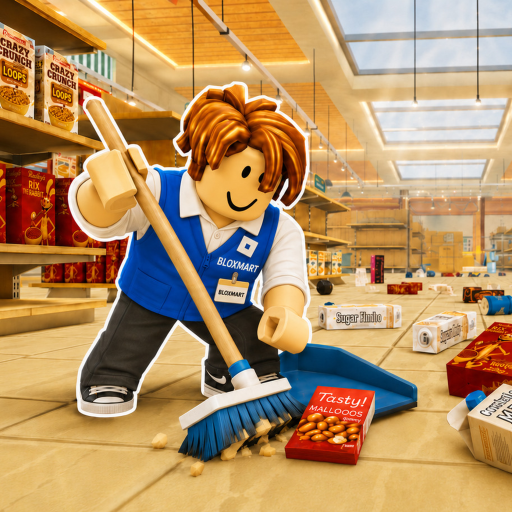
100% clean
Restock over 3,000 misplaced items, aisle by aisle, until the whole store reads complete.
Every guide is built around the loop the game itself defines: read signs, restock shelves, earn points, unlock upgrades, beat the timer. Checked 2026-10-03 against the official description and community sources.
New to the game: read Controls, then Beginner route. Chasing badges: Badges, then Progression. Chasing time: Efficiency route and the pace calculator. Cleaning with friends: Multiplayer and the co-op planner.
The structure of Clean The Superstore in one screen — each row is expanded somewhere in the guides below.
Restock over 3,000 misplaced items, aisle by aisle, until the whole store reads complete.
Read a shelf sign, cycle held items with the scroll wheel, click an open matching space. Q drops.
Filled shelves pay points; points buy abilities (Scanner, Magnet, Shelf Finder, Auto Stock) in the G menu.
Official timed badges: Speed Cleaner under an hour, Casual Cleaner under two.
Servers hold 12 players; co-op cleaning splits aisles and shared searching.
Launch superstore, the two-floor Mall (NEW MAP era), and the current 8K+ Megastore title.
Sources: official description and Roblox APIs, community wiki ability order, and creator Mall tours — all dated on the sources page.
Each guide is a self-contained task with steps, troubleshooting, and a FAQ.
The three PC inputs the official description lists — Q to drop, click to place, scroll wheel to cycle — plus the sign-reading habit that prevents misplacements. Ends with your first completed shelf, which is also the official Getting Started badge.
For choosing a target.Every official goal in one place: Welcome, Getting Started, the 25% / 50% / 100% milestones, Ultimate Challenge (no abilities), and the two timed badges. With live award counts you can see which goals most players actually reach.
For cleaning with friends.How to divide visible aisles in a 12-player server, assign a partial-shelf finisher, and keep one shared pace check so nobody duplicates searches. Co-op is the description-endorsed way to finish faster.
For run one.A first-session plan: learn the loop on one shelf group, use signs instead of guessing by appearance, then bank the early badges before caring about speed. Includes the mistakes that stall most first runs.
For your first full store.Turn shelves into points and points into abilities in the order the community recommends (Scanner first), use the 25% / 50% milestones as checkpoints, and decide which badge window your run is really on.
For better times.The repeatable point loop: finish nearby partial shelves, drop blockers instead of camping one aisle, route around restocked zones, and recheck pace at each milestone. This is the guide behind the calculator's advice.
The same six guides in a compact index, in suggested reading order.
| Order | Guide | Key takeaway |
|---|---|---|
| 1 | Controls and first shelf | Use Q, click, and the scroll wheel on PC. |
| 2 | Badges and completion goals | See the official 25%, 50%, 100%, speed, and no-abilities goals. |
| 3 | Multiplayer and co-op | Divide visible work and keep a shared eye on pace. |
| 4 | Beginner route | Finish the first shelf and learn the core loop. |
| 5 | Progression route | Use points and visible milestones without guessing upgrade values. |
| 6 | Efficiency route | Finish partial shelves and reduce wasted travel. |
Use shelf signs, cycle the held product, and click an open matching space — the item helper walks through failed placements.
Enter elapsed time and completion to project your finish against the official one-hour and two-hour badge goals.
Scale check: the official description counts over 3,000 misplaced items, the live experience page advertises the 8K+ Megastore update, and the CleanTogether group counts 192,106 members — all checked 2026-10-03. The wiki hub explains what each of those numbers does and does not cover.